
CI/CD systems are everywhere now, a core part of the DevOps ecosystem. CI/CD combines continuous integration and continuous delivery, automating much of the manual work of moving code from a commit to production: building, testing, deployment, and even infrastructure provisioning.
Those same pipelines that speed up development also bring their own security problems. Left unsecured, they become a powerful attack surface. This post looks at how offensive security professionals and threat actors approach CI/CD systems like GitLab, the real-world attack paths involved, and how to defend against them.
Introduction to GitLab CI/CD
Before the offensive techniques, it helps to understand what GitLab CI/CD is, what it does, and how its core components work. A solid grasp of how the technology operates is what lets us, as offensive security professionals, spot opportunities to turn its intended functionality against itself.
In a typical project, source code is stored and versioned in a Git repository. GitLab is a web-based DevOps platform built around Git that acts as a central hub for managing those repositories. Beyond version control, it bundles in a range of features, one of the most powerful being CI/CD.
GitLab CI/CD automates development workflows, letting teams define pipelines that build, test, and deploy applications automatically. So what is a pipeline? Here are the core components.
Core components of GitLab CI/CD
- Pipelines: a structured sequence of tasks that run automatically in response to triggers like code commits or merge requests. The tasks are usually grouped into phases, commonly build, test, and deploy. A pipeline gives you a logical, repeatable way to manage automation across the delivery lifecycle.
- Jobs: think of a job as a container that wraps one or more tasks. Those tasks are scripts or commands, such as running tests, installing dependencies, or building a Docker image.
- Stages: logical groupings of jobs within a pipeline. Each stage represents a distinct phase, and stages run sequentially:
- Build stage: compile or package the application.
- Test stage: run unit, integration, or security tests.
- Deploy stage: deliver code to staging or production.
- .gitlab-ci.yml: this file lives in the root of the GitLab project. It is a YAML file that holds the pipeline configuration, where you define stages, jobs, and runners (more on runners next).
The infrastructure that runs pipelines
Now that pipelines, stages, and jobs make sense, here is the infrastructure that actually executes them. This is what explains the reasoning behind many of the offensive techniques.
- GitLab instance (GitLab server): the control plane. It manages most of the configuration and orchestrates the whole CI/CD process.
- Runner: a lightweight agent installed on a machine. Its job is to execute the CI/CD jobs defined in the project's .gitlab-ci.yml file.
- Shared runners (SaaS): provided by GitLab and shared across many projects.
- Self-managed runners: hosted on your own infrastructure. As an attacker, this is what you are looking for.
- Executor: under the hood of each runner is an executor, which defines the operating system, tools, and resources a job can access. Executors keep jobs running in a consistent, isolated environment. Depending on the executor, getting access to the underlying runner machine can be straightforward.
Types of executors
- Docker executor: jobs run inside a Docker container. When they run in privileged mode, which is a common misconfiguration, they become vulnerable to container escape.
- Kubernetes executor: jobs spin up in a Kubernetes cluster, which gives stronger isolation but is still subject to misconfiguration.
- Shell executor: jobs run directly on the host runner with no isolation. This is the most dangerous option, since a compromised pipeline can lead to full access to the underlying host.
Understanding how these pieces interact matters, because that is what tells you where and how attacks can be carried out in a GitLab CI/CD environment.
How the components interact
The interaction between the server, runner, and executor breaks into four phases.
1. Registration: setting up the runner
Before a runner can pick up jobs, it has to register with the GitLab server. Depending on the GitLab version, there are two methods: the legacy method and the modern workflow introduced in GitLab 16.
Legacy registration (disabled by default in GitLab 17.0, scheduled for removal in GitLab 20.0):
- You use the CLI to register a runner with a registration token, usually copied from the GitLab UI.
- The runner sends a POST request to /api/v4/runners with this token.
- GitLab responds with a runner token, which the runner stores locally in config.toml.
- That runner token then authenticates future job requests to the server.
New registration workflow (GitLab 16 and later):
- You first create a runner object through the GitLab UI or API.
- GitLab issues a unique runner authentication token, prefixed with glrt-.
- You use that token in the GitLab CLI to register the runner:
gitlab-runner register --token <glrt-token> - Each machine that registers is tracked with a system ID, even if several share the same runner token.
A couple of notes. The legacy method, still in use in many environments, makes it harder to track individual or rogue runners, and there is no clean way to rotate or revoke tokens per runner. From a security standpoint, if an attacker obtains the runner token or the authentication token, they can register rogue runners and steal job data.
2. Job requesting and scheduling: polling for work
Once registered, the runner enters a continuous polling loop, asking the server for jobs:
- The runner periodically sends a POST request to /api/v4/jobs/request, using its stored runner token to authenticate.
- If a job is available and matches the runner's tags from the .gitlab-ci.yml file, the server responds with a job payload containing what it needs to run the pipeline, plus a unique job token.
- That job token is then used for all job-specific operations, such as cloning source code or uploading artifacts.
Note that the runner always initiates the connection. This pull model, rather than push, makes GitLab CI/CD relatively firewall-friendly, but it also means a compromised runner can keep asking for new jobs.
3. Job execution: handing off to the executor
After receiving the job payload, the runner creates an executor and hands the work to it. The executor runs the scripts and commands defined in the pipeline, and uses the job token to perform authenticated operations against the server, such as:
- Cloning the repository.
- Downloading artifacts from previous jobs.
- Pushing job logs back to GitLab.
The executor runs the commands from the .gitlab-ci.yml file inside the environment its executor type provides. If that isolation is weak, for example the Shell executor or Docker in privileged mode, a malicious job can break out of the sandbox and compromise the runner host. Job tokens are scoped to the job, but they can be abused during the execution window if an attacker injects malicious code.
4. Returning output and status: finishing the cycle
When the job completes, the executor sends the output (logs) and status (success, failure, or canceled) back to the runner. The runner then updates the server with a POST request to /api/v4/jobs/:id using the same job token.
From pipeline access to a shell
Everything above is the machinery. Here is how an attacker turns access to that machinery into code execution on a runner, and from there into secrets, source code, and often the cloud account behind it. The through-line is simple: a runner exists to execute whatever the pipeline tells it to, so anyone who can influence the pipeline can influence the runner.
Injecting a malicious job
The most direct path is write access to the repository, or to a merge request whose pipeline will run. Because the job script in .gitlab-ci.yml is just shell commands, an attacker who can modify that file gets arbitrary command execution on whichever runner picks up the job. A job this small is enough to prove execution and start looting the environment:
exploit:
  script:
    - id
    - env
    - cat /etc/gitlab-runner/config.toml
On a Shell executor this runs directly on the runner host as the gitlab-runner user, so id confirms the context, env dumps every CI/CD variable exposed to the job, and the config file, where readable, hands over the runner authentication token. On a Docker executor the same script runs inside the job container, which is still enough to steal secrets and, as shown below, sometimes to break out entirely.
Harvesting CI/CD secrets and tokens
CI/CD variables are delivered to jobs as environment variables, so a single env or printenv reveals them. Masking only hides a variable in the job log, not from the process, so a masked value can still be read and exfiltrated by the running job. Protected variables are scoped to protected branches, which means weak branch protection, or the ability to run a pipeline on a protected branch, exposes them anyway. These variables routinely hold registry credentials, deployment keys, and cloud access keys, which is exactly what makes a compromised job so valuable.
Registering a rogue runner
If an attacker recovers a registration token or a runner authentication token (the glrt-prefixed value from the modern workflow), they can attach their own machine to the project as a runner:
gitlab-runner register --token glrt-REDACTED
A rogue runner then polls for jobs like any other. Depending on tags and configuration it can pick up real jobs, capturing source code, artifacts, and the per-job token that comes with them. This is a quiet form of persistence, because the attacker's infrastructure looks like ordinary build capacity rather than an intruder.
Escaping a privileged Docker executor
Many teams run the Docker executor in privileged mode so pipelines can build container images with docker-in-docker. Privileged mode strips most of the isolation between the job container and the host, so a job that already has code execution can mount the host filesystem or abuse exposed devices to break out onto the runner node. Once on the node, the attacker has the same reach as any process on that host, including other jobs' data and any credentials the node holds.
Abusing the job token
Every job receives a CI_JOB_TOKEN that authenticates to the GitLab API for the life of the job. Depending on the job token allowlist settings, that token can clone other repositories, pull and push container images, and download artifacts from other pipelines. On instances where token scoping was never tightened, a single compromised job can reach well beyond its own project.
Pivoting from the pipeline into the cloud
The pipeline is rarely the real target. It is the doorway. CI/CD systems are built to change infrastructure, so they are routinely handed very powerful privileges: permission to deploy resources, read secrets, manage IAM, and push to production across cloud accounts. Whatever the pipeline is allowed to do, a compromised job can do, which is why an attacker who lands on a runner is usually one step away from the cloud environment behind it.
There are two ways those cloud privileges reach the pipeline. The first is static credentials, long-lived access keys stored as CI/CD variables, which an attacker simply reads and reuses. The second, and increasingly the default, is OpenID Connect (OIDC) federation.
OIDC federation, and why it cuts both ways
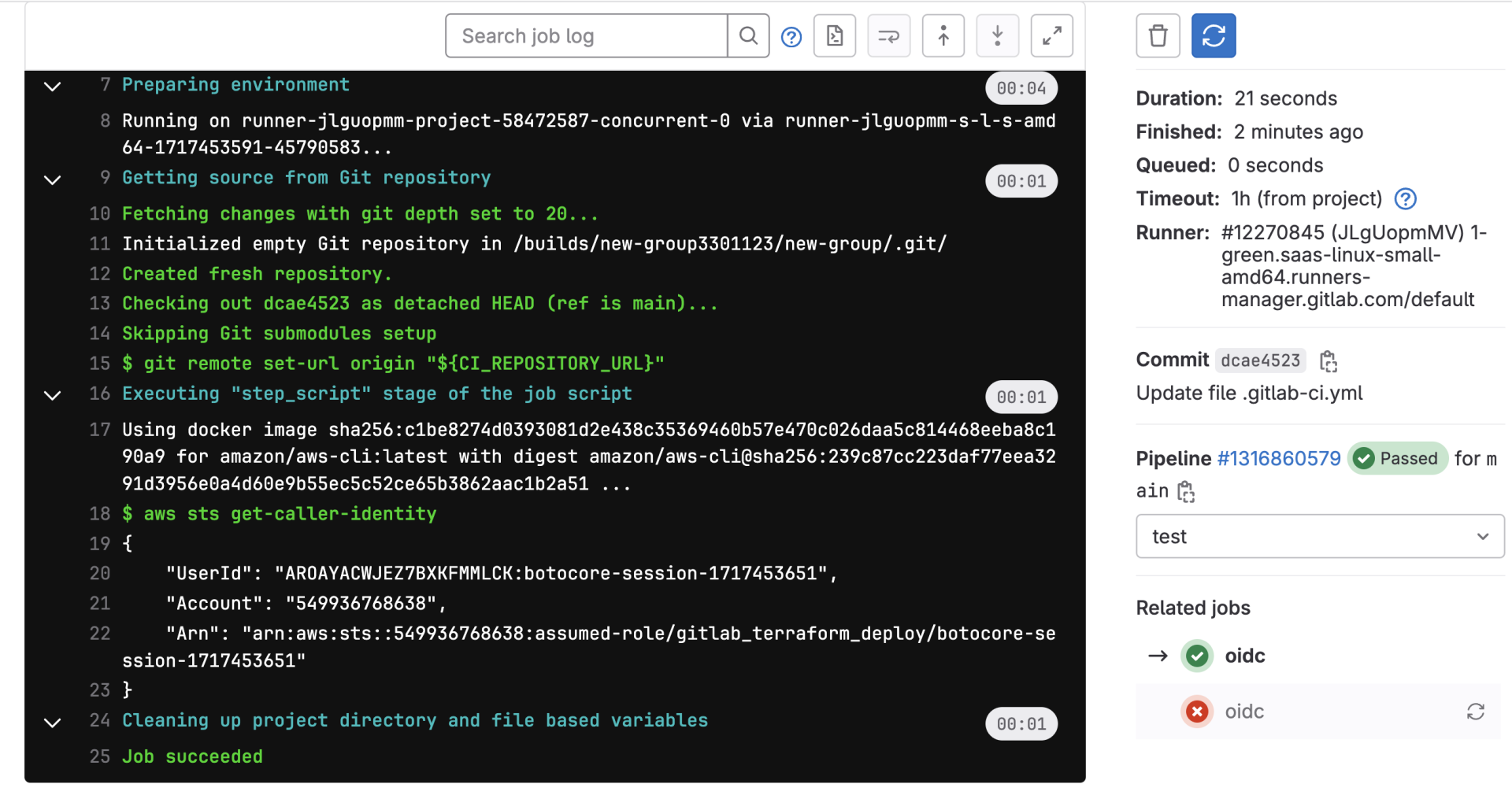
With OIDC, the pipeline no longer stores a cloud key. When a job runs, GitLab issues a short-lived, signed identity token that describes that job, its project, branch, and other claims, and the cloud provider is configured to trust tokens matching a specific set of claims and to hand back temporary credentials for a role. It is a genuine improvement, because there is no permanent secret to steal. But it moves the risk rather than removing it, and it hinges on two things: how narrowly the cloud trust policy is scoped, and how much power the assumed role holds.
Both are commonly wrong. Trust policies are often written loosely, trusting every project or branch in a group rather than one specific pipeline, so any compromised repository in scope can assume the role. And the role itself is frequently over-privileged, because the easiest way to make a deployment pipeline work is to grant it broad permissions and never trim them. Put those together and a malicious job requests an OIDC token, exchanges it for cloud credentials, and inherits standing power over the cloud account, all without a single stored secret. For a deeper look at how these trust policies are scoped and abused, see our explainer on GitHub Actions OIDC; the same trust model, and the same failure modes, apply to GitLab.
Either way, static key or federated token, the shell on the runner becomes a foothold in AWS, Azure, or GCP, and the engagement moves from CI/CD into the cloud environment behind it.
Real-world CI/CD compromises
Codecov, 2021
Attackers modified Codecov's bash uploader, a script that ran inside thousands of CI pipelines, so that it exfiltrated environment variables, including cloud credentials and tokens, from every build that used it. It is the clearest demonstration that a build environment full of secrets is a target in its own right.
CircleCI, 2023
CircleCI disclosed a breach in which stolen session tokens exposed customers' stored secrets and environment variables, forcing a mass rotation of credentials across its user base. The lesson repeats: any long-lived secret sitting in a CI/CD system is a credential waiting to be stolen.
Bottom line
GitLab CI/CD environments are high-value targets because runners execute arbitrary code with elevated privileges. The interplay between registration tokens, job tokens, and executor isolation creates several routes to compromise. Defenders should enforce strong runner authentication, restrict executor types, audit token usage, and use network controls to stop runners from becoming a staging ground for lateral movement into production.